Archived Courses
HiTA will archive courses that are past the semester or period that they were intended to be used in. This will remove the course from the main navbar.
However, instructors and TAs can view archived courses by clicking on the Archived Courses icon in the navbar:
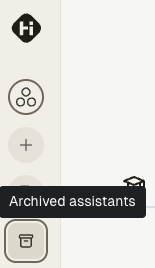
The archived courses button
This will display a list of all archived courses that the user has access to. Clicking on the course name will take the user to the course's page.
Instructors are able to clone archived courses if they wish to reuse the content in a new course.
note
This button will not appear if there are no archived courses that the user has access to. Notably, students will not be able to view archived courses, even if they were previously enrolled in them.